Play without a timer
Study the image and move at your own pace while you learn how the strips connect.
 PixPuzz
The first game inside PixPuzz
Every column shows a different fragment. Swipe each strip up or down until the edges, colors, and shapes rebuild the complete photo.
Included free in PixPuzz for iPhone and iPad.
How the puzzle works
You are not moving loose pieces. Each strip cycles through image fragments, so every swipe changes one vertical slice of the final photo.
Start with a strong edge, horizon, color block, or shape.
Cycle its fragments until both neighboring edges agree.
Resolve all five columns before the session rule ends.
Choose the pressure
Study the image and move at your own pace while you learn how the strips connect.
Choose a timed challenge when you want every decision to carry more pressure.
In bonus-time play, each solved photo gives you more time for the next one.
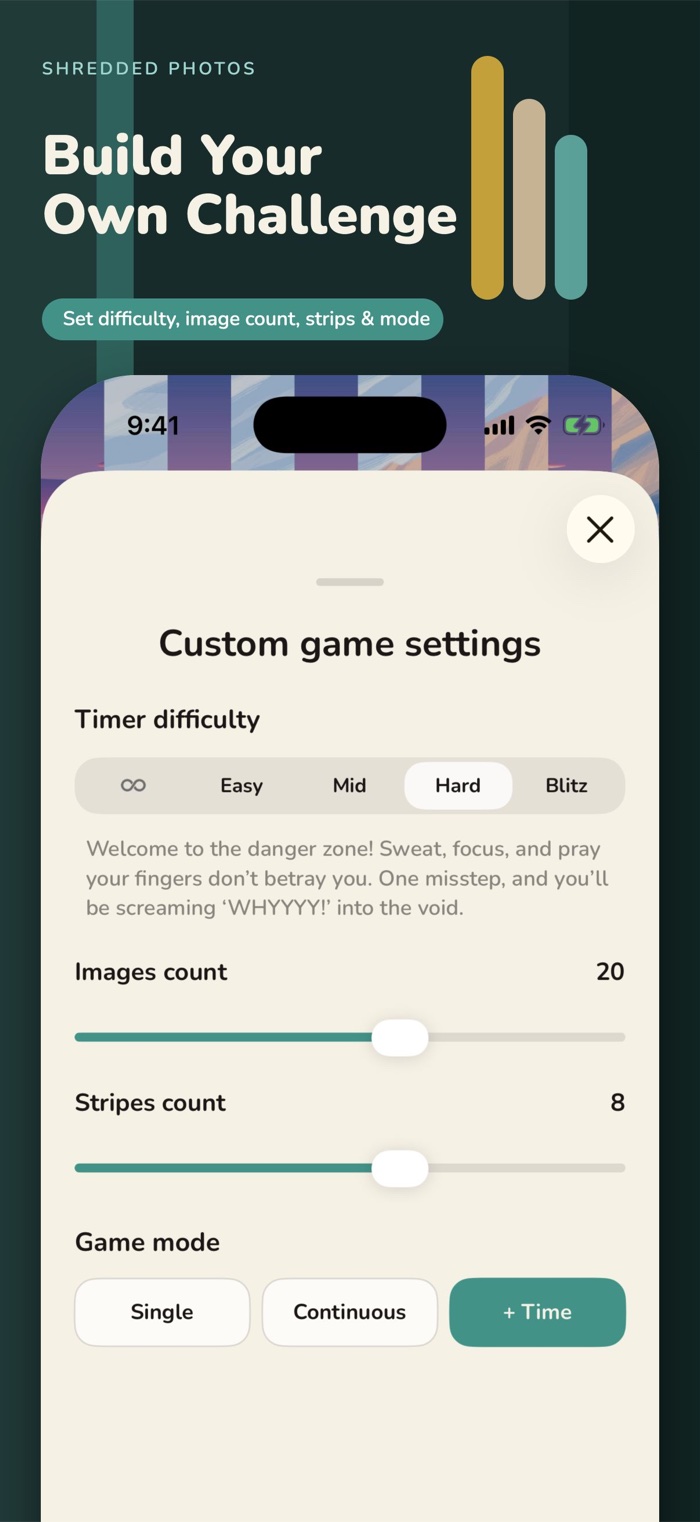
Make the session yours
Choose your difficulty and session length. After solving a photo, you can save the completed image to Photos for personal use, including as an iPhone wallpaper.
How to choose and set an iPhone wallpaperUnderstand the mechanic
Use anchors, boundaries, and deliberate passes.
Common mistakesRecognize the habits that create unnecessary moves.
Evidence-aware guideSee what the mechanic asks without overstating its effects.